

Image editor
Features, supported frameworks, and requirements of the image editor.
The image editor is a design editor that you embed in your web application. Your users make social graphics, carousels, and print files in it. You receive the finished design as a file.
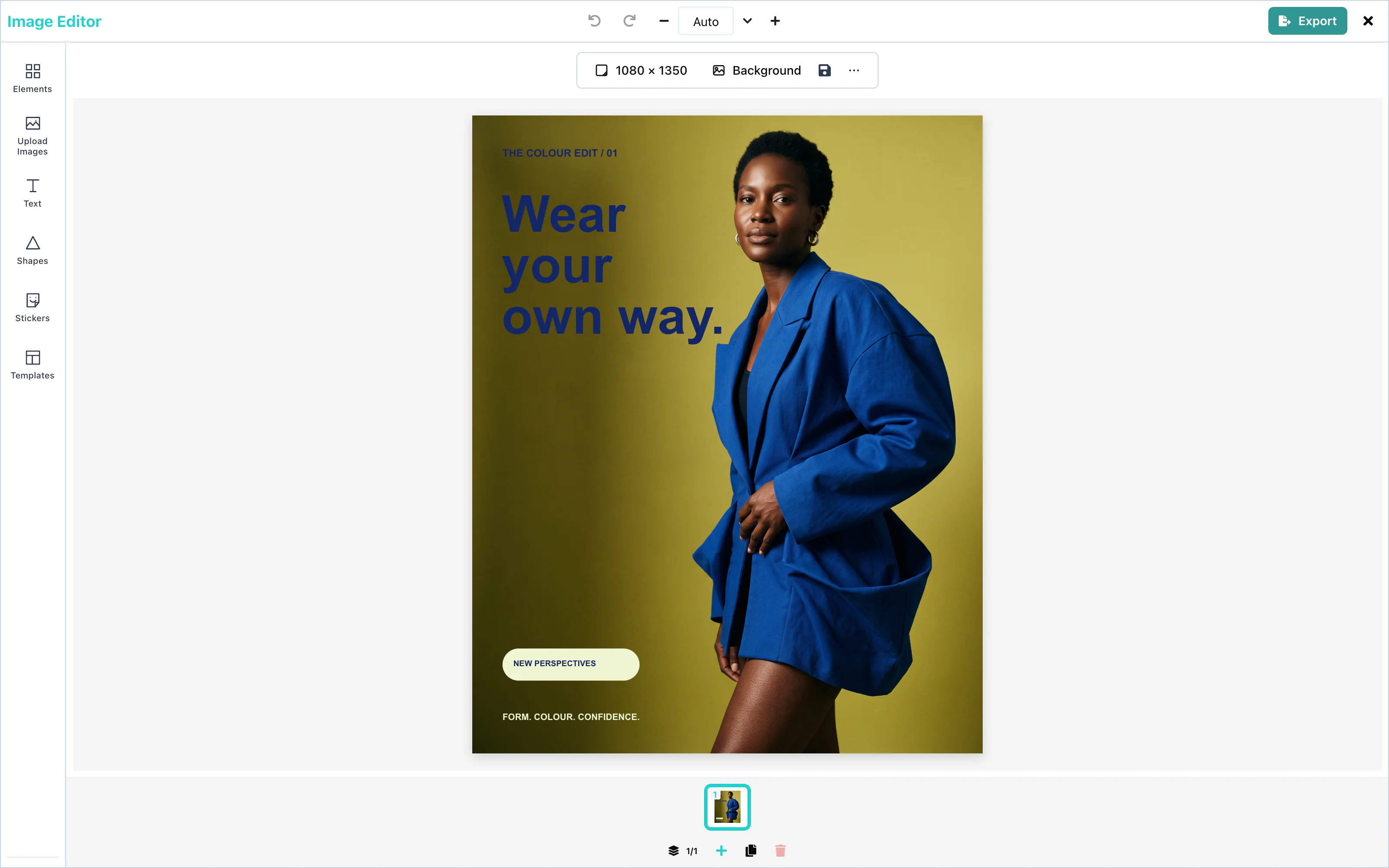 View full size
See a short crop demonstration and commercial print settings.
Features
| Feature | What the user can do |
|---|---|
| Text | Add text, choose fonts, style part of the text, and start from 35 text templates. |
| Images | Upload pictures, search stock photos, crop, fit, filter, and remove the background. |
| Shapes | Add 43 shapes, lines, and arrows, and set their fill and outline. |
| Stickers and GIFs | Add stickers from the built-in set, from GIPHY, or from your own collection. |
| Backgrounds | Fill the page with a color, a gradient, or a photo. |
| Multi-page designs | Make designs with up to 10 pages, such as carousels. |
| Effects and filters | Apply filters and adjustments to pictures and shapes, and outline, shadow, and gradient to text. |
| Templates | Start from templates that your server provides, and save designs as templates. |
| Resizing | Change the page size to a social media format or to any size. |
| Export | Create PNG, JPEG and standard PDF files; add commercial print through an optional plugin. |
AI features need an AI provider that you connect: image generation, AI image editing, text generation, text rewriting, and shape generation. See AI providers. Background removal needs a media server. See Images.
You can change the colors, fonts, logo, and tool list of the editor to match your product. See Theming and UI customization.
For physical sizes, searchable PDF text, CMYK, bleed and trim marks, see Print export. The optional print package is released separately.
Supported frameworks
The editor works in any web page. The package contains a React component, a custom element (<media-editor-image>), and a mount function (mountImageEditor).
React 19
The React component.
React 18
The React component.
Next.js
App Router and Pages Router.
Vue
The custom element in Vue 3.
Svelte
The custom element in Svelte 5.
JavaScript
Any page, including Angular.
Rails
A Rails view with Turbo.
Laravel
A Blade view.
Blazor
A Blazor page.
Electron
A desktop application.
React Native, Flutter, iOS, Android, and server SDKs are in development. See Frameworks.
Requirements
- A license key. See License keys.
- A desktop browser. The editor runs in the browser, and it switches to a compact layout when its container is narrower than 960 pixels. See Layout and sizing.
- For the React component: React 18 or React 19 in your application. The custom element and the mount function need no React, because the package carries its own copy.
The page does not need HTTPS for the image editor. On a plain http:// page, the browser turns off the camera, so the Open camera button cannot take a photo.