

Video editor
Features, supported frameworks, and requirements of the video editor.
The video editor is a complete video editing application that runs inside your web page. Your users arrange clips on a timeline, add text, captions, and graphics, and export the result as an MP4 or WebM video, or as an animated GIF. Your code receives the file.
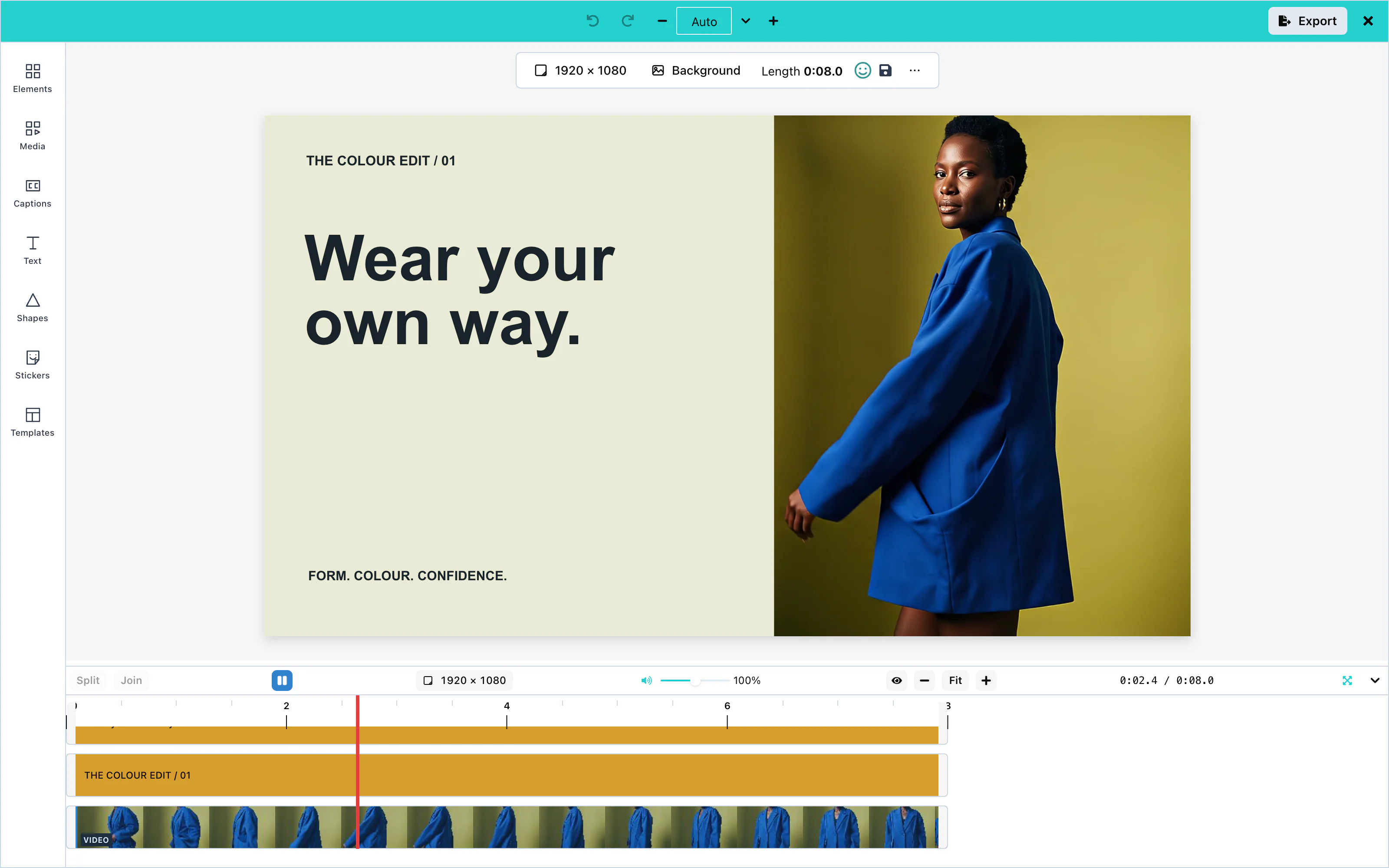 View full size
Features
| Feature | What the user can do |
|---|---|
| Timeline | Arrange clips in tracks, trim them, split them, and play the result. |
| Video | Upload clips, crop them, and change their volume. |
| Audio | Add music and voice recordings, and change their volume. |
| Text | Add text with any font, color, outline, and shadow. |
| Captions | Create captions from speech or from an .srt or .vtt file. |
| Subtitles | Deliver captions as a subtitle track, or as a caption file (.srt, .vtt, or .txt). |
| Images | Add pictures from the computer, from stock services, or from an AI model. |
| Shapes | Draw rectangles, circles, lines, and other shapes. |
| Stickers and GIFs | Add stickers from built-in sets, your own sets, or GIPHY. |
| Backgrounds | Set the color or picture behind everything. |
| Effects and filters | Change the look of clips and pictures. |
| Animations | Make items enter, exit, and move. |
| Templates | Save a design and start new videos from it. |
| Resizing | Change the size and shape of the video, for example to 9:16. |
| Export | Render the video as an MP4, WebM, or GIF file. |
| AI assistant | Describe a change in words, and the assistant makes it. |
| Headless mode | Edit a design from your own code, with no editor on the screen. |
Supported frameworks
The editor works in any web page. You add it as a React component, or as the custom element <media-editor-video>.
| Framework | How you add the editor | Guide |
|---|---|---|
| React 19 | VideoEditor from @layermetry/media-editor/react | React 19 |
| React 18 | VideoEditor from @layermetry/media-editor/react | React 18 |
| Next.js | VideoEditor, loaded in the browser only | Next.js |
| Vue | <media-editor-video> | Vue |
| Svelte | <media-editor-video> in Svelte 5 | Svelte |
| JavaScript | <media-editor-video> or mountVideoEditor | JavaScript |
| Ruby on Rails | <media-editor-video> | Rails |
| Laravel | <media-editor-video> | Laravel |
| Blazor | <media-editor-video> | Blazor |
| Electron | VideoEditor from @layermetry/media-editor/react | Electron |
React Native, Flutter, native iOS, and native Android are not supported. See Mobile.
Requirements
- A license key. See License keys.
- A current browser. The editor is tested in Chrome, Firefox, and Safari on the desktop, and in Chrome at the size of a phone. To export a video with sound, the browser must encode AAC sound: Firefox and every browser on desktop Linux cannot do this yet. See Browser requirements.
- A page served over HTTPS, or from
localhost. On a plainhttp://page away fromlocalhost, the browser removes the video encoder, so video export does not work. - For the React component: React 18 or React 19 in your application. A page without React uses the custom element, which carries its own copy of React.
When its container is narrower than 768 pixels, the editor changes to a compact layout for phones.
Next steps
Quickstart
Embed a working video editor in a web page.
License keys
Obtain a key, use it in production, and renew it.
Frameworks
Guides for React, Next.js, Vue, Rails, and other frameworks.
Configuration
Layout, theming, saving, storage, and AI providers.
Watch the editor in motion
Press Play to preview the design, then Pause to keep editing.